.png)
Until now Habi was organised around contracts. Now it is organised around your properties. Open a property and everything about it is on one page: who rents it, what they pay, every contract it has had, and its documents. Fifteen key changes, in four areas, below.
Portfolio
Your portfolio is now the main page. Every property you own, whether it is rented, what it brings in, what ends soon and what needs your action - on one screen the moment you sign in.
.webp)
More property types. Shops, warehouses, land and other commercial and industrial units can now be added and tracked in Habi, alongside apartments, villas, townhouses and offices.
Portfolio performance at the top of the page. Income, what you paid, and return for the whole portfolio, or only for the properties you select - one building, one type, only the rented ones - to see what performs better.
Smarter search when adding a property. Type the building, project, villa cluster or area - whatever you call the place - and Habi suggests the matching properties from the Dubai Land Department registry. Pick your unit and its details fill in automatically.
No more duplicate properties. Habi now checks as you add a property. If it is already on your list, Habi tells you and opens it instead of adding it again, so your list and your numbers stay accurate.
Property page
Your property's full rental history. Add past contracts and every contract since you bought the property sits on its page, newest first, with the rent change from one term to the next. Any contract, one click.
.webp)
More details about your property, in one place. Purchase price and date, freehold or leasehold, mortgage, DEWA, Makani and plot numbers, parking, title deed and documents - stored on the property, there when you need them.
Rent payments, tracked on the property. What the tenant has paid, what is still due, the deposit you hold, and a button to mark each payment as it comes in.
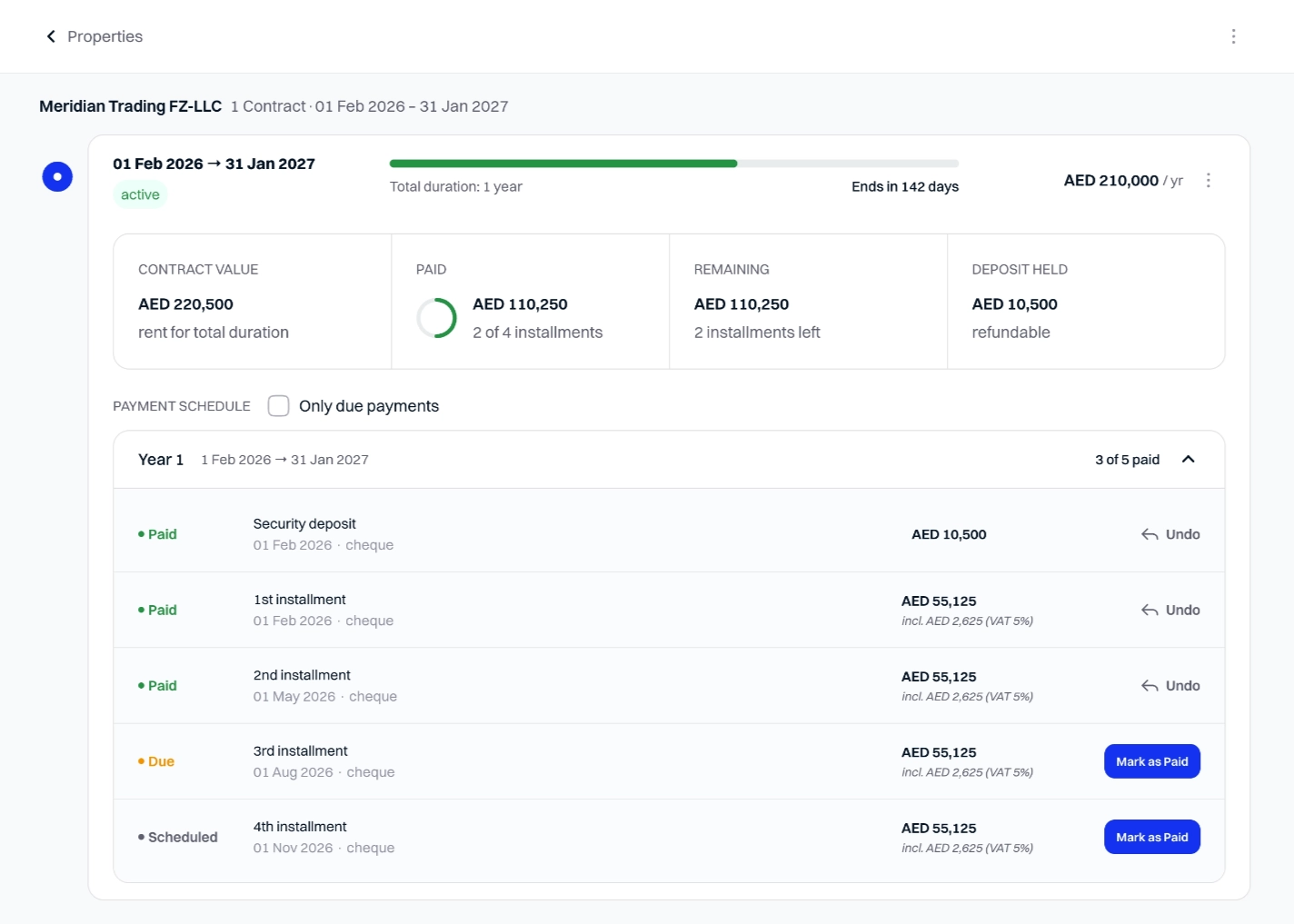
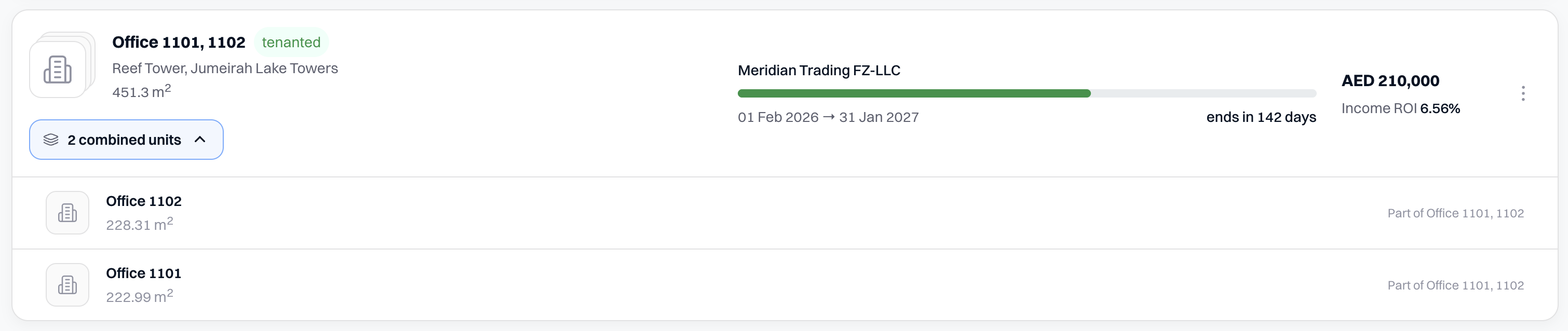
Rent several offices or shops to one tenant under one contract. Combine offices or shops in the same building into one space, with one contract and one rent, and manage it as one. If you later rent them separately again, each unit keeps the record of the time it was combined, with its share of the rent, so no unit's history has a gap.
Tenancy contract
Contracts now live on their property. The separate Tenancy Contracts page is gone. To find a contract, open the property: every contract it has had is there, current and past, in order. Looking for a tenant instead? Search the name on Properties and it takes you to the right property.
Find any contract term without opening the document. Every term of the government contract and the addendum is on the page, easy to read: rent, deposit, payment schedule, who pays for what, notice and penalty on early termination, extra clauses, etc.
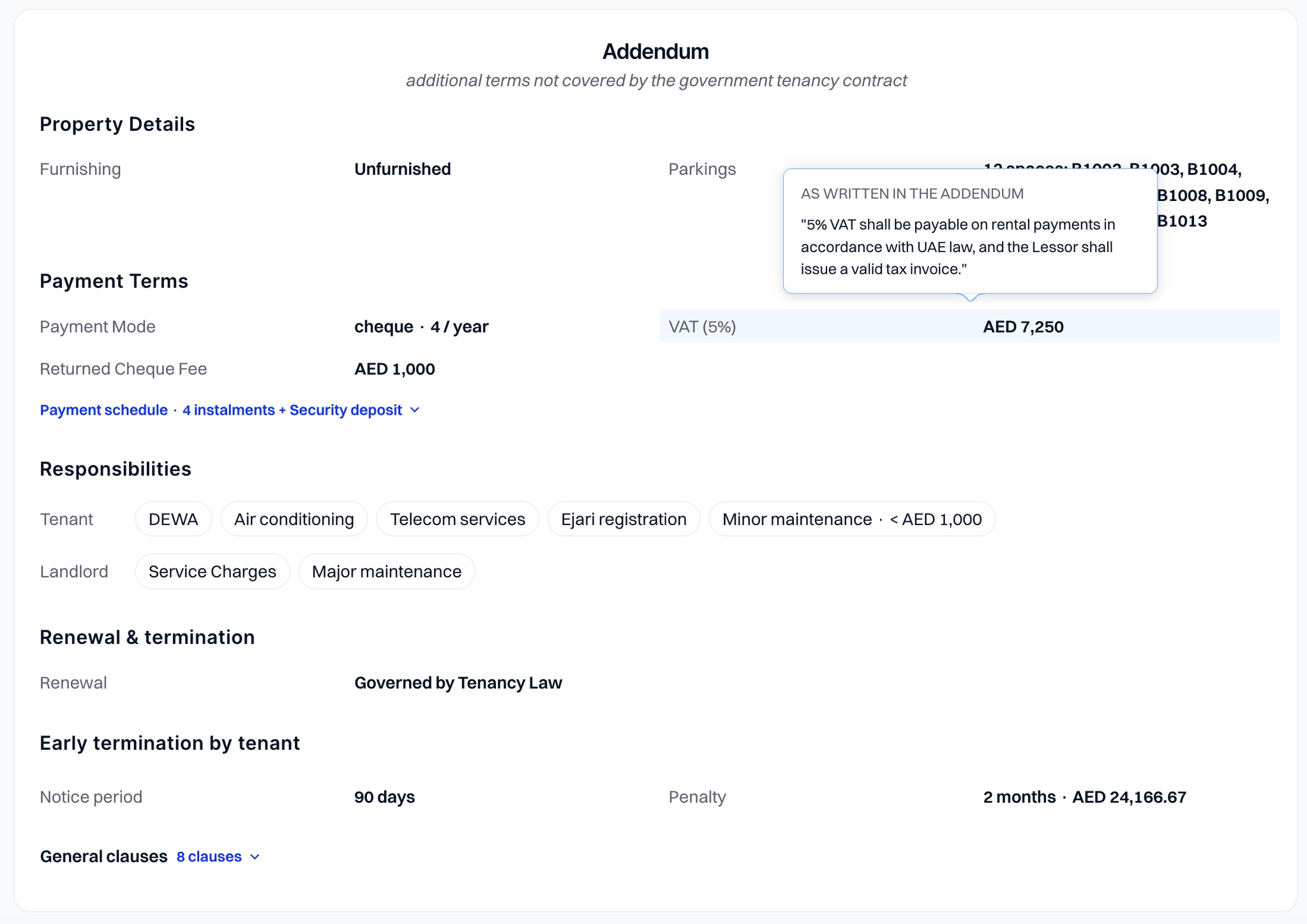
Set your own unique payment schedule. When creating a contract, you can now set a different date and amount for each instalment instead of equal payments only. The schedule is reflected in the addendum to your tenancy contract.
Payments
Dashboard is now Payments. One page with every payment across all your properties, taken from your contracts: what is received, what is due, what is still to come.
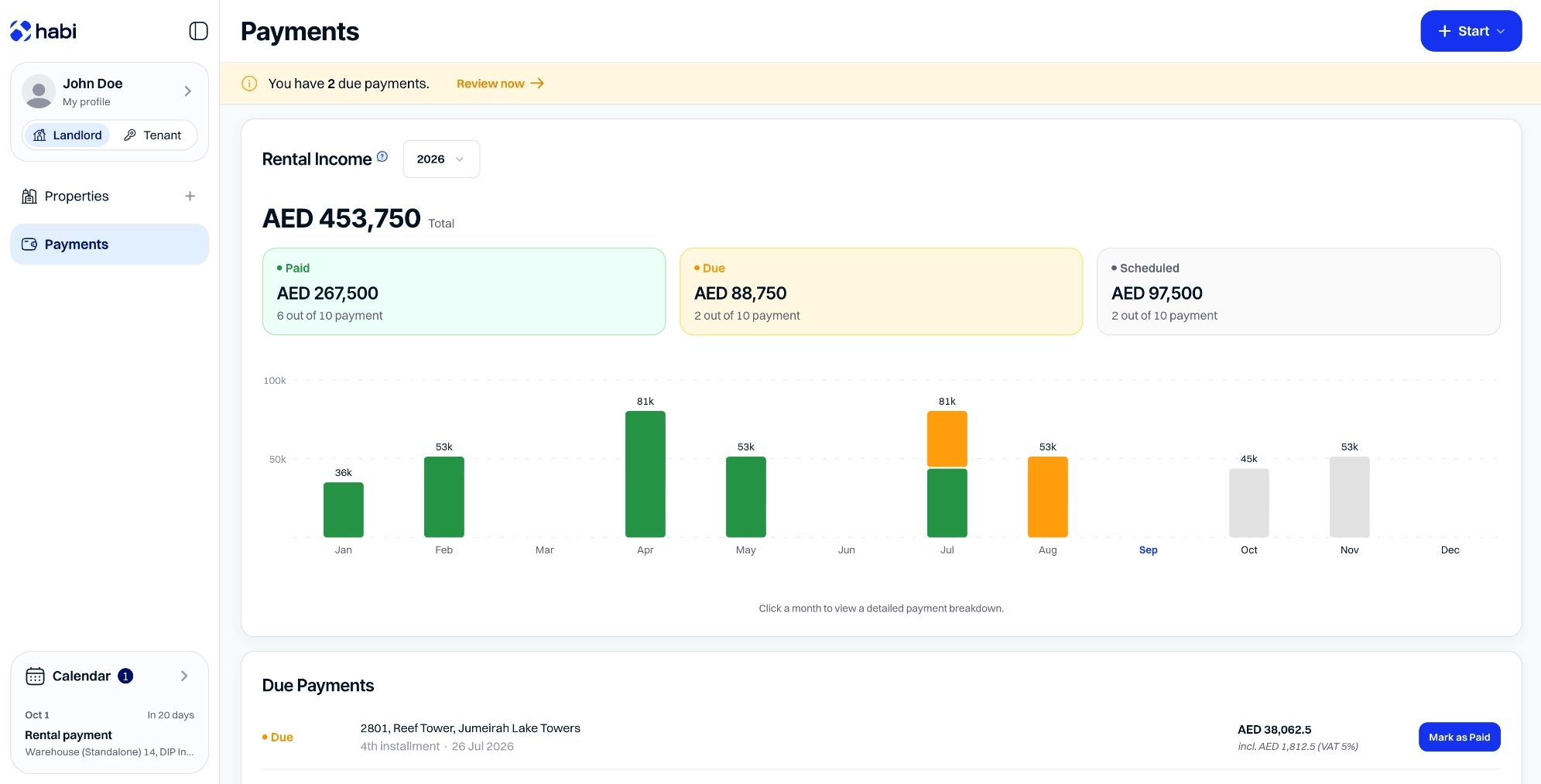
Mark payments as received. Each payment shows as due on its date. Mark it as received when it arrives; anything not received stays at the top of the page until you act, so nothing slips.
Know what rent is coming, and when. From your signed contracts, Habi builds the year's payment forecast month by month: what is already received, what is due now, and what is still to come - so you can see ahead, not just look back.